
Excelgoodies logo +91 9176633248

Advanced Excel Course in Bangalore

Microsoft Excel Reporting:

60+ Formulas Dynamic Dashboards MIS Reports Excel Models

  • Both Online & Classroom | 8 Weekends (8 Sessions, 2-hrs each)
  • 150+ Assignments & 7 Reporting Projects

(1.5K+ Professionals enrolled)

Prove you're human: Type the code shown.

=
Excelgoodies

Program Overview

Training Schedule

Tuesday, 11 Apr

View Schedule

8 Weekends | 16 Hours

8 Sessions, 2 Hrs Each

Online & Classroom, Instructor-Led

Pre-Requisite

Keyboard skills

(Windows OS)

Course Fee

₹7,500

Check what’s included?

Advanced Excel & MIS Reporting

floating_menu floating_menu floating_menu

Batch starts on

th

From Basics to Pro

Excel doesn’t have to be complicated.
Build Powerful Excel Dashboards, Reports & Models with Ease

Whether you're new to Excel or looking to sharpen your skills, this 16-hour course will show you how to turn raw data into meaningful reports and models. You'll master advanced formulas, streamline MIS reporting, and build solutions that make your work faster, smarter, and more impactful—ready to apply directly to your day-to-day tasks.

In just 8 Weekends, you'll be able to:

Master complex Excel formulas to solve real-world business problems with ease.

Create professional, impactful MIS reports that drive business decisions.

Design dynamic, interactive dashboards that provide actionable insights.

Build scalable Excel models that support comprehensive business analysis.

Visualize complex data trends to bring clarity and enhance the effectiveness of your reports.

Ensure report accuracy and consistency by leveraging advanced Excel features for data validation and error-checking.

In just 8 Weekends, you'll be able to:

Master complex Excel formulas to solve real-world business problems with ease.

Create professional, impactful MIS reports that drive business decisions.

Design dynamic, interactive dashboards that provide actionable insights.

Build scalable Excel models that support comprehensive business analysis.

Visualize complex data trends to bring clarity and enhance the effectiveness of your reports.

Ensure report accuracy and consistency by leveraging advanced Excel features for data validation and error-checking.

A snapshot of what you'll be learning in 8-Weekends.

Course Syllabus Overview

Core Fundamentals

Objective: The term "basic" is subjective based on levels of knowledge, experience, exposure, etc. Basic for one individual doesn't have to be basic for another. Nearly all participants in this training are self-taught and have some Excel skills as well as some gaps.

The objective of this module is to fill gaps, bring everyone to the same level and empower them with comfort and confidence to learn Excel as a reporting solution and not as a computer tool.

Duration – 2.5 Hours (Rapid Session)

CORE FUNDAMENTALS

  • Understanding Excel Environment
  • Entering, Editing and Deleting Text, Numbers, Dates
  • How Excel Understand your information including Text, Numbers and Date values.
  • Fundamental Formatting Techniques & Best Practices
  • Understanding Cell Formats including Advanced Custom Formats
  • Copying and Clearing Formats
  • Working with Styles
  • Understanding Simple Conditional Formatting
  • Moving and Copying data
  • Quick Navigation Techniques
  • Inserting, Deleting and Hiding Rows & Columns
  • Inserting, Deleting, Moving and Copying Sheets
  • Working with multiple Excel Worksheets & Workbooks
  • Working with View Tab including freeze panes, split, new workbook, etc
  • Quick Data Entry Techniques including Auto Fills
  • Understanding & Working with Formulas
  • Mastering Referencing Techniques including Relative, Absolute & Mixed Reference
  • Working with fundamental functions including sum, count, average, max, min, etc
  • Fundamental Keyboard Shortcuts

Advanced Formulas & Functions

Objective: Master 60+ MS Excel formulas to dramatically simplify the work you do in Excel. By the end of the section, you'll be writing robust, elegant formulas from scratch.

Duration – 5 Hours

MATHEMATICAL FUNCTIONS

  • SumIf, SumIfs
  • CountIf, CountIfs
  • AverageIf, AverageIfs
  • SumProduct, Subtotal

LOOKUP FUNCTIONS

  • Vlookup / HLookup
  • Match
  • Dynamic Two Way Lookup
  • Creating Smooth User Interface Using Lookup
  • Offset
  • Index
  • Dynamic Worksheet linking using Indirect

LOGICAL FUNCTIONS

  • Nested If ( And Conditions , Or Conditions )
  • Alternative Solutions for Complex IF Conditions to make work simple
  • And, Or, Not

TEXT FUNCTIONS

  • Upper, Lower, Proper
  • Left, Mid, Right
  • Trim, Len
  • Concatenate
  • Find, Substitute

DATE AND TIME FUNCTIONS

  • Today, Now
  • Day, Month, Year
  • Date, DateDif, DateAdd
  • EOMonth, Weekday

ROUNDING FUNCTIONS

  • Round
  • RoundUp
  • RoundDown
  • MRound

ERROR HANDLING FUNCTIONS

  • isNa
  • isErr
  • isError

Pivots, Charts & Dashboards

Objective: This module will help you set up a professional dashbaord - learn how to visualize data through graphs and charts, create data models, and add interactivity.

Duration – 2.5 Hours

PIVOT TABLES

  • Creating Simple Pivot Tables
  • Basic and Advanced Value Field Setting
  • Sorting based on Labels and Values
  • Filtering based on Labels and Values
  • Grouping based on numbers and Dates
  • Drill-Down of Data
  • GetPivotData Function
  • Calculated Field & Calculated Items

CHARTS & PIVOT CHARTS

  • Bar Charts / Pie Charts / Line Charts
  • Dual Axis Charts
  • Dynamic Charting
  • Other Advanced Charting Techniques

EXCEL DASHBOARD

  • Bar Charts / Pie Charts / Line Charts
  • Planning a Dashboard
  • Adding Tables to Dashboard
  • Adding Charts to Dashboard
  • Adding Dynamic Contents to Dashboard

Miscellaneous Topics

Objective: This section is all about working with data - and making it easy to work with. It will walk you through the different features of Excel to get your data prepared for analysis.

Duration – 2.5 Hours

ADVANCED PASTE SPECIAL TECHNIQUES

  • Paste Formulas
  • Paste Formats
  • Paste Validations
  • Paste Conditional Formats
  • Add / Subtract / Multiply / Divide
  • Merging Data using Skip Blanks
  • Transpose Tables

SORTING

  • Sorting on Multiple Fields
  • Dynamic Sorting of Fields
  • Bring Back to Ground Zero after Multiple Sorts

FILTERING

  • Filtering on Text, Numbers & Date
  • Filtering on Colors
  • Copy Paste while filter is on
  • Advanced Filters
  • Custom AutoFilter

PRINTING WORKBOOKS

  • Working with Themes
  • Setting Up Print Area
  • Printing Selection
  • Branding with Backgrounds
  • Adding Print Titles
  • Fitting the print on to a specific defined size
  • Customizing Headers & Footers

IMPORT & EXPORT OF INFORMATION

  • Using Text To Columns

WHAT IF ANALYSIS

  • Goal Seek
  • Scenario Analysis
  • Data Tables

GROUPING & SUBTOTALS DATA VALIDATION

  • Number, Date & Time Validation
  • Text Validation
  • List Validation
  • Handling Invalid Inputs
  • Dynamic Dropdown List Creation using Data Validation

PROTECTING EXCEL

  • File Level Protection
  • Workbook Level Protection
  • Sheet & Cell Level Protection
  • Setting Permissions for Specific Tasks
  • Track changes

CONSOLIDATION

  • Consolidating data with identical layouts
  • Consolidating data with different layouts
  • Consolidating data with different Sheets

ADVANCED CONDITIONAL FORMATTING

  • Working with advanced conditional formatting rules incorporating formulas

Modeling & MIS Reporting

Objective: It is an activity-based section with the goal of collaborating on all the topics you have learned so far to build dynamic MIS Reports. You'll learn to model different scenarios based on input, and assumptions.

Duration – 7.5 Hours

MODELING & MIS REPORTING

  • Creating advanced Excel Models
  • Creating Simple Professionally Formatted Data Models to Simulate Simple Business Scenarios
  • Importing, Cleansing and Normalization Data
  • Aging Reports and Other Complex Date & Time Calculations
  • Reconciling Complex Datasets
  • Develop Advanced Data Models to Simulate Complex Business Scenarios for What IF Analysis
  • Reporting Using Relational Data
  • Consolidation and Reporting of Datasets of Different Structures

Modern Functions (New)

Duration – 2 Hours

Dynamic Array Functions

  • FILTER
  • SORT
  • SORTBY
  • UNIQUE
  • SEQUENCE
  • RANDARRAY

Lookup & Reference Functions

  • XLOOKUP
  • XMATCH

Text Functions

  • TEXTSPLIT
  • TEXTJOIN
  • TEXTBEFORE
  • TEXTAFTER
  • CONCAT

Logical Functions

  • IFS
  • SWITCH
  • LET
  • LAMBDA

Math & Trigonometry Functions

  • MAP
  • REDUCE
  • SCAN

Array Manipulation Functions

  • VSTACK
  • HSTACK
  • CHOOSECOLS
  • CHOSEROWS
  • WRAPROWS / WRAPCOLS
fullstack courses

Taught by Microsoft Certified Trainers

All our classes are live,
hands-on and with
real-trainers.

fullstack courses

Advanced Excel Course in Bangalore - Training Schedule

Limited Seats. Registration Closing Soon

Have Questions?

Tel:

+91 9176633248

Email:

support@excelgoodies.com

Projects & Assignments

What's included?

  • 16 hours of Instructor-led training
  • 150+ Assignments
  • 7 Reporting Projects
  • Excel Shortcut Tool (Lifetime access)
  • 30-Days post-training support (via Email)
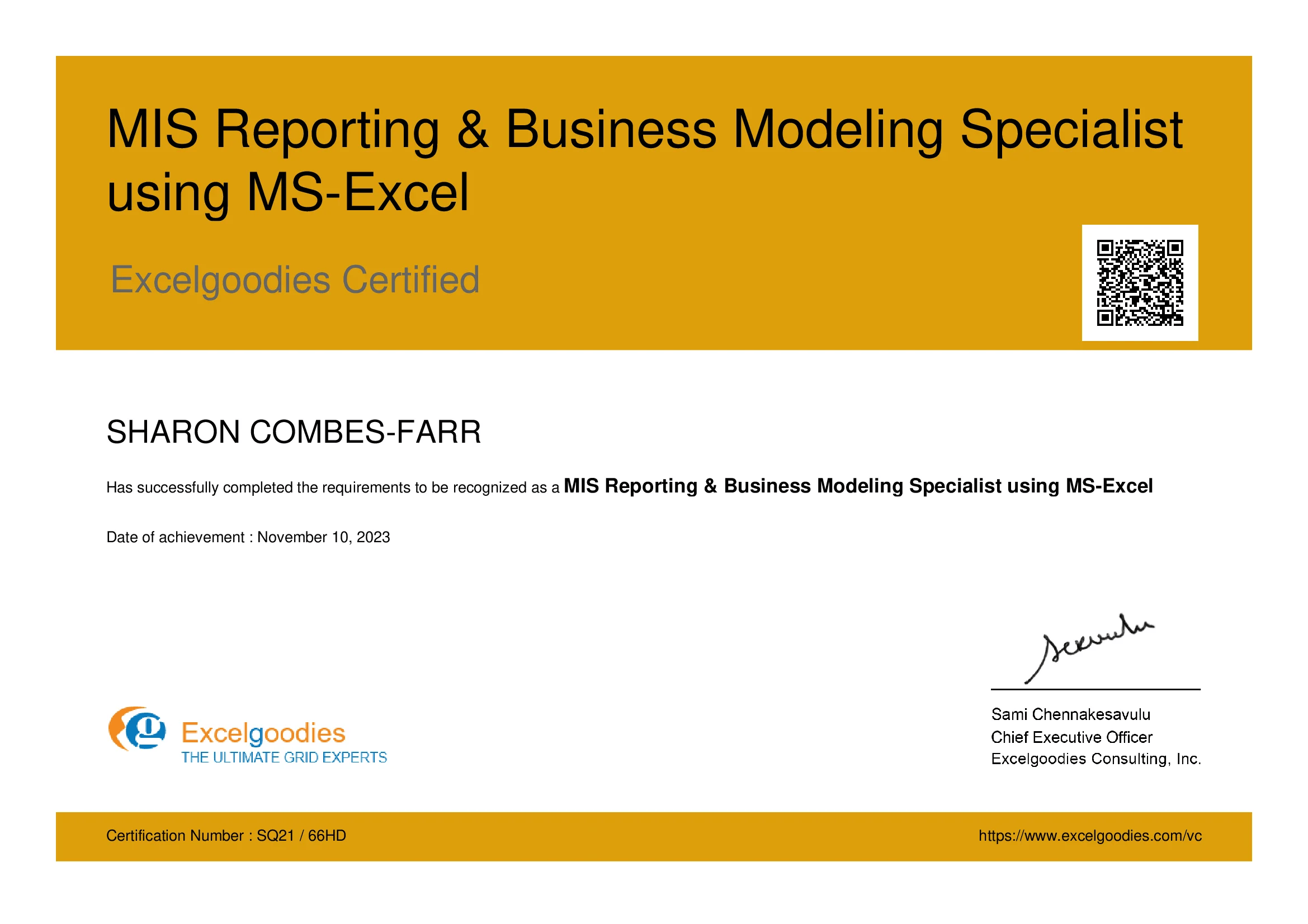
  • MIS Reporting & Business Modeling Specialist using MS-Excel

Upcoming Batch

Starts On

Tue, 06 Jan 2025

Time

Course Fee

₹7,500

Plus GST for Company-Sponsored.

FAQs

The Advanced Excel & MIS Reporting course spans 25 hours over 8 weekends, with classes on Saturdays and Sundays. Online training is available.

The course fee is ₹7,500, inclusive of all training materials and certification. GST is applicable for company-sponsored participants.

Participants receive the Advanced Excel & MIS Reporting Specialist certificate. Microsoft Office Specialist (MOS) certification is available at an extra cost.

The course covers over 60+ advanced Excel formulas, including mathematical, lookup, and text functions.

Key topics include PivotTables and PivotCharts, Dashboard creation, MIS reporting, Advanced Excel formulas, Data analysis and visualization, and Reporting automation.

Yes, the course includes 7 real-time reporting projects and over 150 assignments (available only at EG Premises).

Yes, the course covers data cleansing and transformation techniques using Excel's built-in tools.

The course is taught by Microsoft Certified Trainers (MCTs), including Mr. Sami with 18+ years of experience working with organizations like The World Bank, Tata Chemicals, and Standard Chartered.

ExcelGoodies offers 30 days of post-training support via email for any queries or challenges while applying skills in real-world scenarios.

Learners gain automation skills that save time, reduce errors, and enhance productivity. The course includes 150+ assignments, 60+ advanced Excel formulas, and 7 reporting projects for real-world application.

Junior (1-2 yrs): ₹2–4 lakh/yr. Mid-level (3-5 yrs): ₹4–8 lakh/yr. Senior/experienced (6-8+ yrs): ₹10+ lakh/yr depending on skill level and responsibilities.

ExcelGoodies provides 19+ years of expertise, live weekend sessions, re-attendance flexibility, 60+ advanced formulas, 7 reporting projects, and 30 days post-training support.

The course emphasizes practical, job-oriented skills through hands-on learning, industry-relevant curriculum, flexible online learning, globally recognized certification, and career support.

Yes, basic Excel knowledge is sufficient. A free Excel refresher session is provided before starting Advanced Excel.

Yes, online courses are live, instructor-led, interactive, and offer the same real-time discussions, project guidance, and peer interaction as classroom sessions.

Direct placement support is not provided. Certified learners may occasionally receive job leads through the corporate network, but connecting with the employer is the learner’s responsibility.

ExcelGoodies stands out with live weekend sessions, hands-on learning through 150+ assignments and 7 reporting projects, and an industry-recognized certification.

Yes, the course is conducted on weekends, ideal for working professionals.

For online courses: standard laptop and stable internet are sufficient. Zoom-based live classes replicate the classroom experience virtually.

Yes, participants receive the MIS Reporting & Business Modeling Specialist using MS-Excel certificate, which adds value to resumes and LinkedIn profiles.

More questions ?

Specialist Certification

Certification: MIS Reporting & Business Modeling Specialist using MS-Excel

A piece of paper means nothing if you can’t apply the skills. Our certifications are industry-recognized and backed by hands-on training—ensuring you’re not just qualified, but ready to perform from day one.

Eligibility:

On clearing post-training assessment.

View Sample Certificate

Shareable certificate

Add to your LinkedIn profile

Excelgoodies

Level :

Certificate Code : EG-SPL-001

Eligibility:

On clearing post-training assessment.

Shareable certificate

Add to your LinkedIn profile

Build Real-World Solutions During the Course

Key Skills You'll Master

Data Structuring and Organization

Advanced Data Analysis

Report Creation and Formatting

Data Visualization (Charts & Graphs)

Pivot Tables and Dynamic Reports

Data Validation and Conditional Formatting

About The Trainer

Mr. Sami

MCT, MCSA

15,000+

Students Trained

19+

Year of Experience

4.9

Reviews

Mr. Sami, Microsoft Certified Trainer, with his qualifications in Finance, HR & Information Technology brings in 19 years of Industry experience. He has successfully trained 15,000+ professionals by now, and the counting is still on.

He has undertaken assignments with the renowned IRS, The World Bank, Tata Chemicals, Buckman Laboratories, Standard Chartered, ING Barings and much more. His nature of going that Extra Mile has got him the startling popularity amongst the Excelgoodies prominent clients.

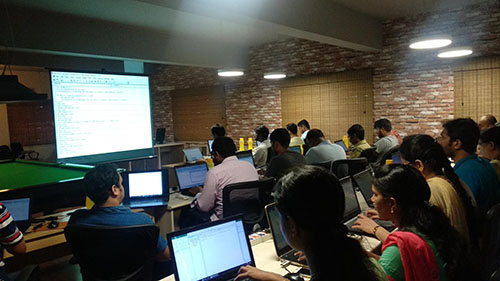
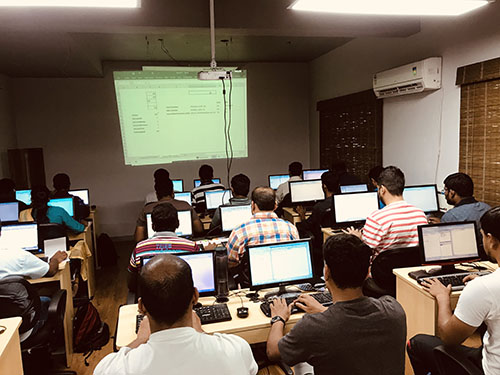
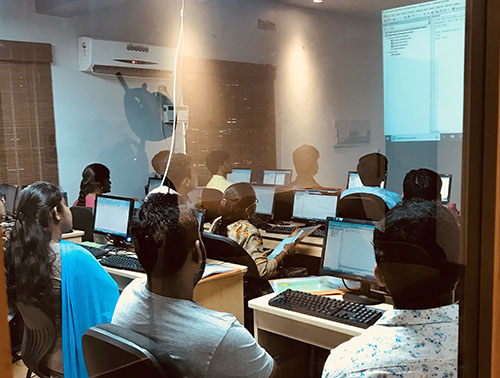
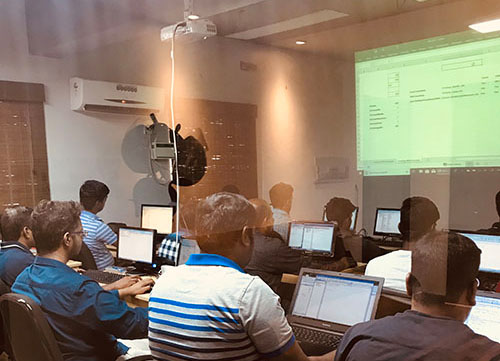
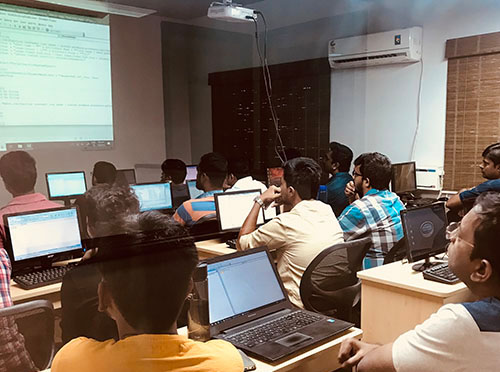
Classroom Gallery

Google Reviews

Practical application

Two layers of practice. Built right into Excel.

Layer 1 · Daily practice

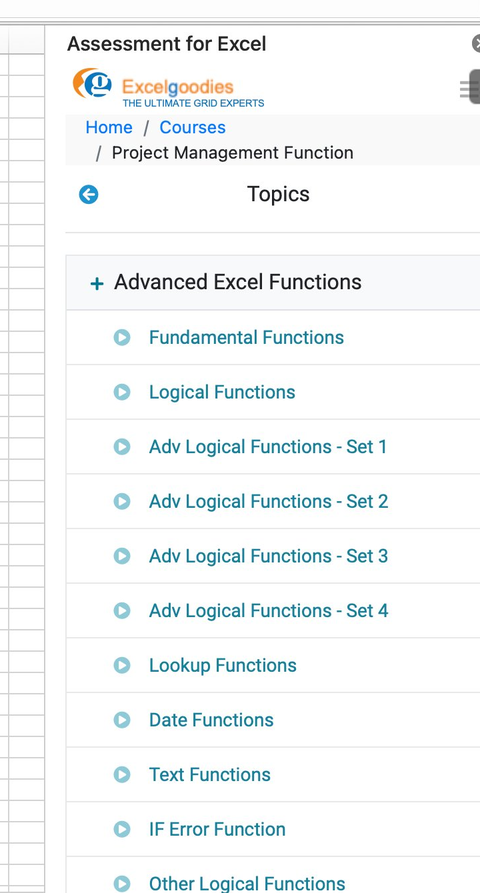
150+ system-graded assignments — inside Excel itself

A native Excel add-in opens a question pane next to your worksheet. Real business data, structured tasks, instant grading. Watch how it works:

Live demo

30-second demo · Plays automatically · Silent

150+

curated assignments across all course modules

Enough practice to build genuine fluency — not just a few demo problems.

Instant

grading the moment you click Submit

No waiting overnight, no trainer in the loop. Your answer is judged then and there.

Structured topic-by-topic

Every concept maps to its own assignment set, with multiple difficulty levels — Sets 1 through 4 for Logical Functions alone.

Topic list showing modules: Fundamental, Logical, Adv Logical Sets 1-4, Lookup, Date, Text, IF Error
9 industry domains
you'll practice across
Finance Sales HR & Payroll Inventory Banking Manufacturing Retail Project Management Operations & MIS
Layer 2 · Capstone projects

4 end-to-end MIS Reporting projects

Bring everything together. Build the kind of reports your management actually asks for — using only formulas, pivots, and charts.

PROJECT 01 Sales

Sales Performance Dashboard

Build an interactive management dashboard with KPIs, region and product splits, and slicer-driven charts. The kind of report leadership scrolls through in their Monday review.

Pivot Tables Slicers Dynamic Charts SUMIFS
PROJECT 02 Finance

Budget vs Actual Variance Report

Compare planned numbers against actuals across departments, calculate variance and percentages, and use traffic-light formatting to flag what needs attention before management asks.

Conditional Formatting IFERROR XLOOKUP Variance %
PROJECT 03 HR & Operations

Attendance & Productivity Tracker

Build a monthly attendance calendar that auto-calculates working days, leaves, late marks, and overtime. The exact tracker most HR and ops teams maintain by hand.

NETWORKDAYS COUNTIFS Date Functions Calendar Layout
PROJECT 04 Operations & MIS

Daily MIS Automation Pack

One workbook, multiple management views. Paste yesterday's raw data into a single sheet and watch 5+ summary reports refresh automatically — the closest you'll get to automation without VBA.

Structured Tables Dynamic Ranges SUMIFS / COUNTIFS Linked Pivots

Corporate Training

bi_report_automation_mob

Avail additional 10% Corporate Benefit on the total course fee for 5+participant.

Get you team BI ready, today.

Ms.Jayasree

Business Associate

Prove you're human: Type the code shown.

=
Excelgoodies

Esteemed Clientele

Esteemed Clientele Esteemed Clientele Esteemed Clientele Esteemed Clientele Esteemed Clientele Esteemed Clientele Esteemed Clientele Esteemed Clientele Esteemed Clientele Esteemed Clientele Esteemed Clientele Esteemed Clientele Esteemed Clientele Esteemed Clientele Esteemed Clientele Esteemed Clientele Esteemed Clientele Esteemed Clientele Esteemed Clientele Esteemed Clientele Esteemed Clientele Esteemed Clientele Esteemed Clientele Esteemed Clientele Esteemed Clientele Esteemed Clientele Esteemed Clientele Esteemed Clientele Esteemed Clientele Esteemed Clientele Esteemed Clientele Esteemed Clientele Esteemed Clientele Esteemed Clientele Esteemed Clientele Esteemed Clientele Esteemed Clientele Esteemed Clientele Esteemed Clientele Esteemed Clientele Esteemed Clientele Esteemed Clientele Esteemed Clientele Esteemed Clientele Esteemed Clientele Esteemed Clientele Esteemed Clientele Esteemed Clientele Esteemed Clientele Esteemed Clientele Esteemed Clientele Esteemed Clientele Esteemed Clientele Esteemed Clientele Esteemed Clientele Esteemed Clientele Esteemed Clientele Esteemed Clientele

Thousands Trained. Here’s What They Say.

Total Reviews 2080
Average Rating
4.5
Excelgoodies Excelgoodies Excelgoodies Excelgoodies Excelgoodies
Why Excelgoodies image

Thousands Trained. Here’s What They Say.

APPLICATION DEADLINE

Registration Closes
on .

Prove you're human: Type the code shown.

=
Excelgoodies

Industry Insights

Industry Insights

Browse City & State Schedules

Find Excel Course Near Me